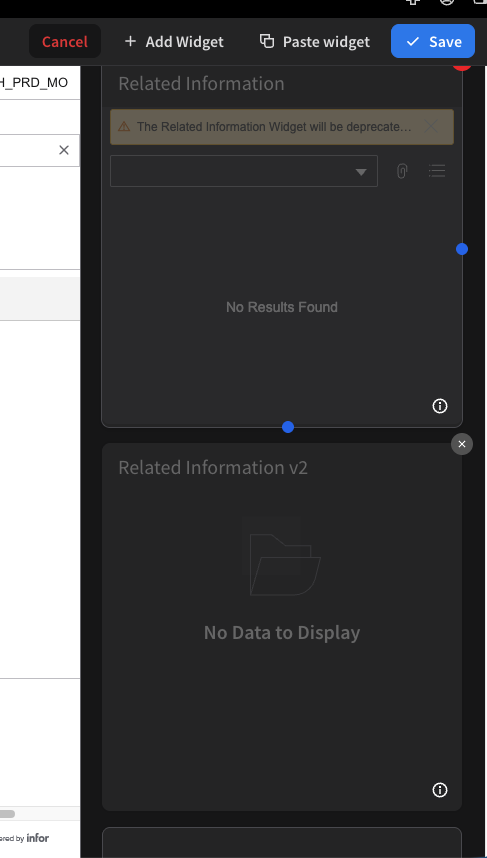
How-To-Sheets
Make your own widget screen/Need to use the new “IDM” widget
Note:
If you already made a custom widget screen you can skip these first four steps.
This would have been something you yourself made earlier. (GO TO STEP 1b)
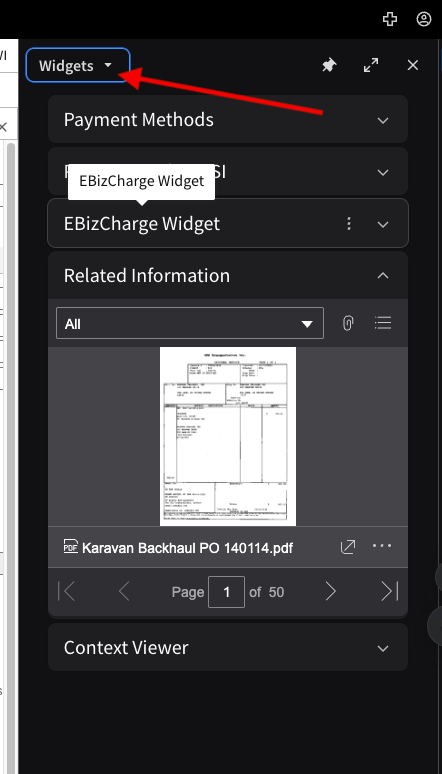
Step 1: click the widgets button.
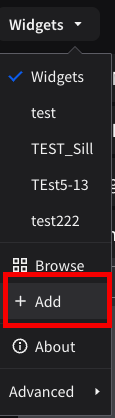
Step 2: Click add
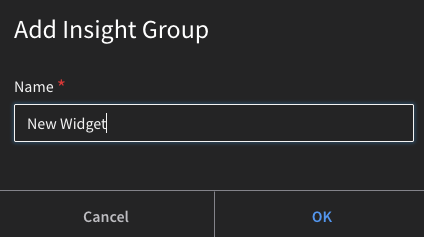
Step 3: Name your own widget ui is will not affect anyone else Hit OK
Step 4: Click add widget
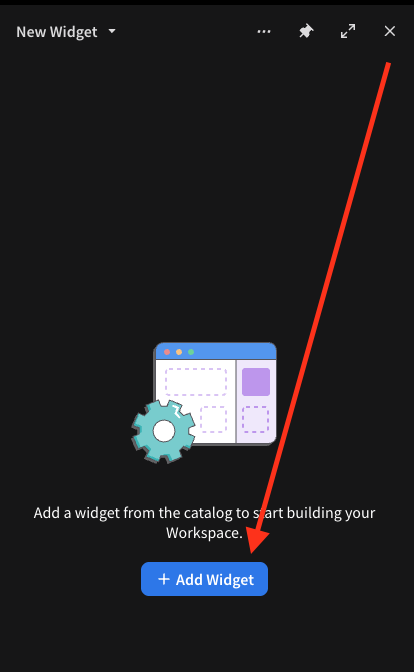
End of initial steps GO TO STEP 5
Note:
If you already made a custom widget screen you can do these two steps instead
Step 1b: Hit the three dots and click edit
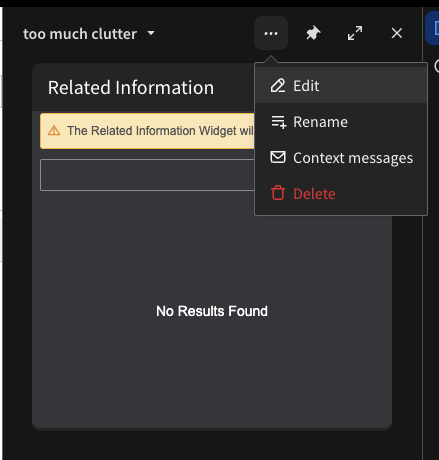
Step 2b: Hit the Add Widget button
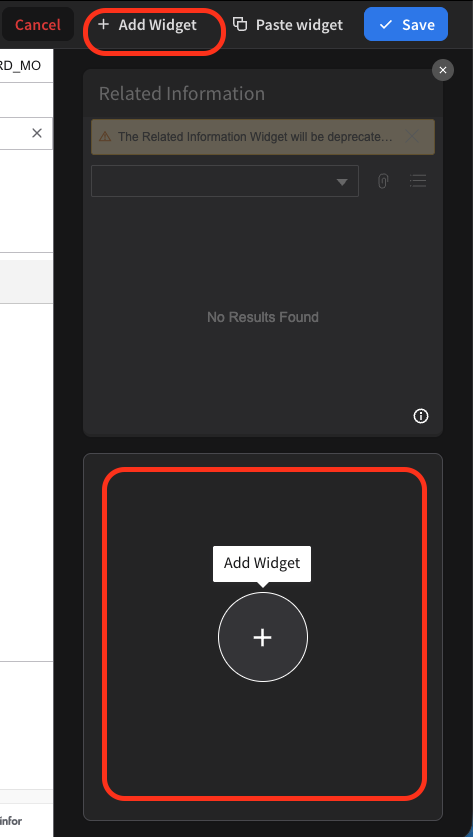
Both Styles Do The Rest
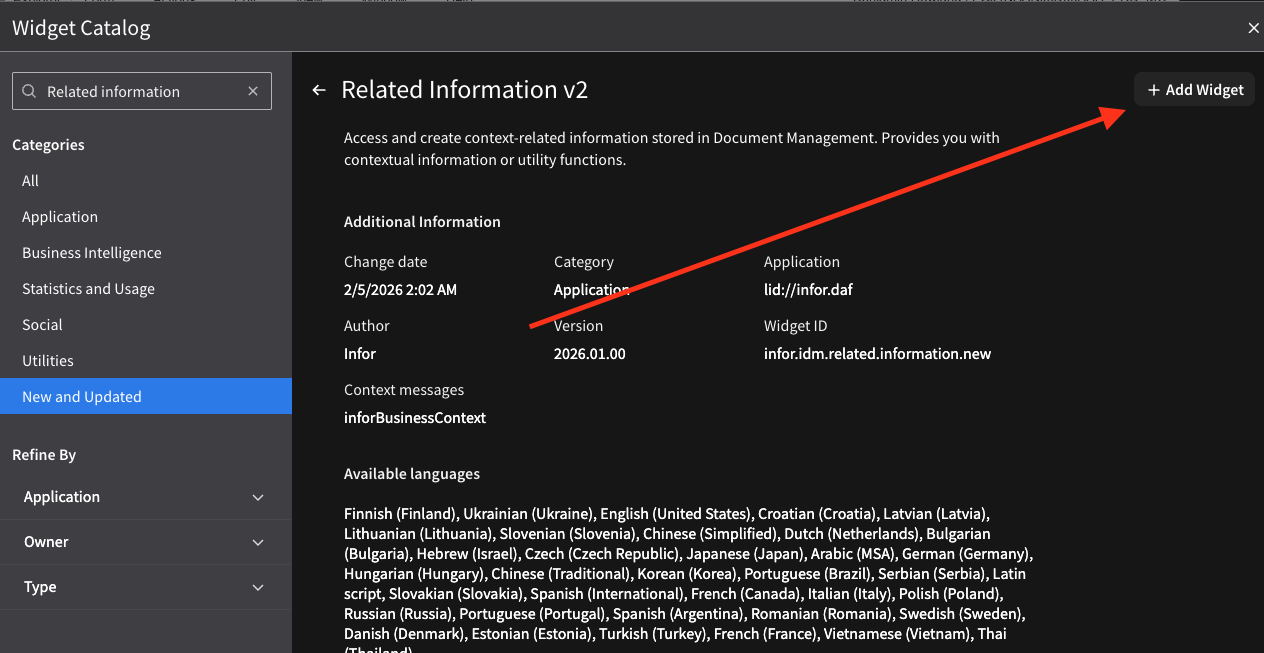
Step 5: Search Related Information
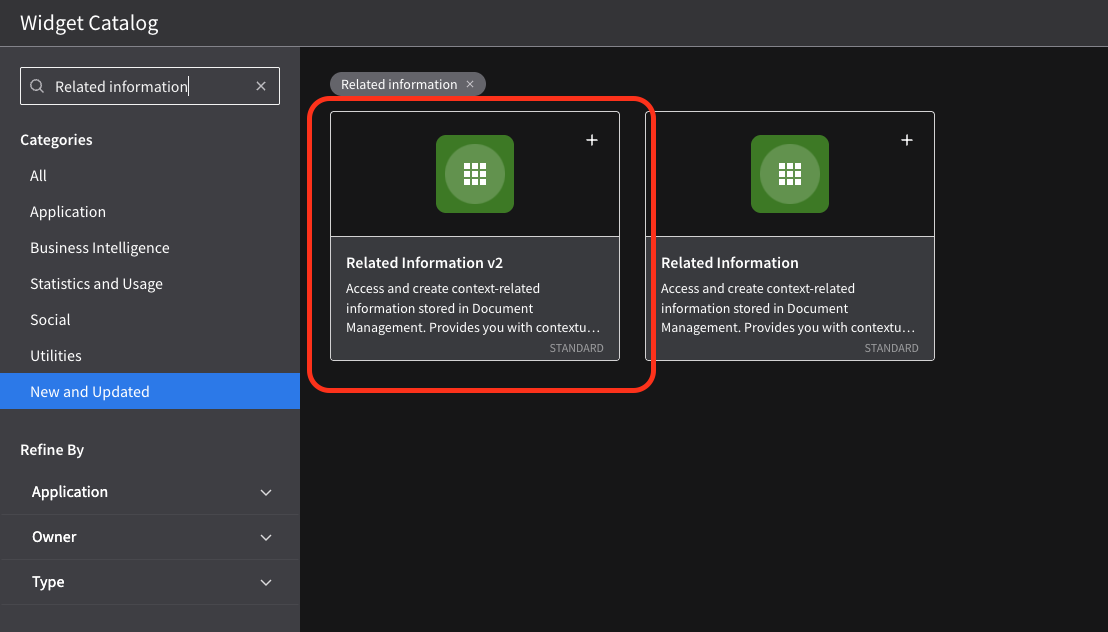
Step 6: Click add widget in the upper right
Step 7: Click save